image click to zoom

I’ve created a website for tutorials on Poser, Vue and Postwork.

So please do visit Missing Manuals as well.

Read more.. »

image click to zoom

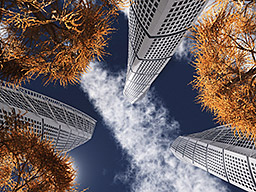
The Turning Torso images were inspired on the Malmö Turning Torso, and the freebie unit modeled by ColaCola.

Read more.. »

image click to zoom

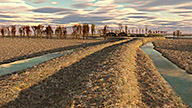
Dmytry’s planet panoramas were made with the MojoWorld generator, deploying Dmytry’s volumetrics plugin. MojoWorld generates entire planets (terrains, clouds, oceans, forests, …) in 3D, eventually animated as well.

From that planet, two full 360* panoramas were rendered.

Read more.. »

image click to zoom

Cover

Highlighting the hope that nature and technology will one day coexist in harmony, Nick Kaloterakis gives us this scifi urban transport scene. Nick is head of 3D at Engine (Sydney), and has worked over a decade in post-prodution. Read more.. »

image click to zoom

Interview

with Benoit Regimbal, character artist for the game industry, and hence a low-poly high results wizard. Sort of. he started his career in 3D after doing characters and props for Half-Life 1, and became pretty good at it. Especially the cartoony figures with very good faces are noticeable.

Gallery

Tutorials

Photoshop Post Effects, by Richard Tilbury

  1. Fire and Heat, Jan issue 65
  2. Sparks and Glows, this issue
  3. Space, March issue 67
  4. Underwater, April issue 68

Working in 2D can be more economical than in 3D, and this certainly holds for particle effects.  An Object-ID pass in the render certainly eases defining the individual components. After adding smoke (using just cloud photos) for the background and colored gradients to get their colors right, hot metal areas were added in, and assigned a serious glow.  Stock photos from tree-branches help to create iron-splashes, while deforming and coloring does the rest of the job.
Again, don’t do in 3D what can be done in 2D.

Creating Celerias - Spaceship modeling & texturing, by Mike Hill

  1. Concept (Nov, issue 63)
  2. Modeling the LowPoly version (Dec, issue 64)
  3. Modeling the HighPoly version (Jan, issue 65)
  4. Mapping and Unwrapping (this issue)
  5. Texturing (March, issue 67)

There are various ways for unwrapping a model, e.g. UVLayout ($200), or just the tools in the 3D modeler. When lots of detail is required, it’s well advised to split the model into various maps instead of one big one. Of course the main issues are dealing with stretching and compression, and placing of the seams. Then repacking the components into a proper image space can save the day when it comes down to texturing.

Djordje (MAX) using UVLayout shows us seven well designed and detailed UVmaps. Luigi (Maya) lags a bit behind in modeling, and uses the UV Texture Editor and a checkerboard texture. The repacking is done manually, and some displacement maps are used to get some extra detail into the model. Then it’s Photoshop time to get the actual textures, with details and global coloring shades, and now Luigi is ahead of schedule. Tamas (Cinema4D) uses Bodypaint of course, and caters with the outer details (pipes, barrels) separately.

In 3DS Max – quite detailed – by  Djordje Jovanovic, in Maya  by Luigi Terza, in Cinema4D – the least detailed (or most efficient) one  - by Tamas Gyerman.

Italian Courtway, a series on Unreal Game Engine

Andrew Finch takes us through the software, mesh creation, texturing and lighting of a Game Level, using the Unreal Development Kit (UDK).

  1. Project planning & Software explanation (Nov, issue 63)
  2. BSP Creation – draft lighting (Dec, issue 64)
  3. Static meshes and Texturing pt 1 (Jan, issue 65)
  4. Static meshes and Texturing pt 2 (this issue)
  5. Layout pt 1 (March, issue 67)
  6. Layout pt 2 (April, issue 68)
  7. Lighting and Post effects pt 1 (May, issue 69)
  8. Lighting and Post effects pt 2 (June, issue 70)

This session is all about tileable textures and reflective windows, ready to be put in the game engine. Of course the engine has a Reflection node in the materials, and a mask (white blocks, black allows) controls which part of the object comes into play. Tileable textures are made in Photoshop using the Offset filter, and by painting out the seams using the clone stamp. Then they can be added into the game for diffuse color.

ZBrush Monster Creation

  1. Mountain Monster (Oct, issue 62) by Marthin Agusta
  2. Sewer Dwelling / Swamp (Nov, issue 63) by Federico Scarbini
  3. Subterranean (Dec, issue 64) by Marc-Olivier Plouffe
  4. Volcano (Jan, issue 65) by Jesse Sandifer
  5. Aquatic (this issue) by Olive Titouan
  6. Jungle (Mar, issue 67)

Made some sketches, looked at some references, and then build the concept using ZSpheres. The mesh topology derived from it is cleaned up a bit in Maya, removing some poles and adding some edge loops. Then the detailing begins, taking care of good silhouettes to maintain proper proportions. Skin details can be added easily by using alpha’s (masks), and then the basic coloring can kick off. Finally, some fine touches make the result ready for rendering.

Making Of… AH-1Z Biper helipcopter, by Martin Kostov

After finding all the references, a high poly model was created with lots of detail in two – three weeks. This model was ‘translated’ into a low poly one, with normal maps to show the details as well.  Then the textures (diffuse, gloss, specular and opacity) were created, UV mapping included, as well as some dust and scratches. Materials and lighting were selected for mentalray, and adjusted for a daylight impression.
Nice result, thank you Martin.


« Next February 2011 Prev »

Comments on this issue or my summary? Leave a Reply!

image click to zoom
image click to zoom

Review

Good selection, well balanced between 2D and 3D, and organized in themes: Scenes, Characters, Fantasy, Sci-Fi and Cartoon. This presents the valuable contents in a far more accessibly way, an improvement over the previous issue(s).

Contents

Read more.. »

image click to zoom

In the Christmas 2010 (#137) issue, 3D World magazine published a list of the 100 best CG short films, music videos, game trailers and commercials, with a hotlink to each of them. Here they are, in a more chronological order, and with the tinyurl’s changed to the real ones. Read more.. »

image click to zoom

This page introduces the recent works of my personal favorites.
Just view their images in large, visit their galleries, and leave them some comments.
Read more.. »

image click to zoom
image click to zoom

Here are some Wallpapers, just for you. Right-click, then Save As, to grab them.
Just resize or adjust them to your own requirements.

Read more.. »

  • image
  • image
  • image
  • image
  • image
  • image
  • image
  • image
  • image
  • image
  • image